If you aren't being asked for a username and password for a download that requires authentication then your Internet Explorer Security settings may need changing...
To change the security settings of Internet Explorer follow the steps shown below:
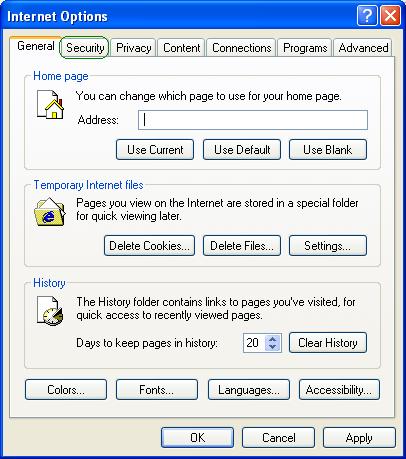
1. From the 'Tools' menu of Internet Explorer, select 'Internet Options'. Or Right click on the Internet Explorer icon on Desktop. Select properties. A dialog called Internet Properties or Internet Options will show up.
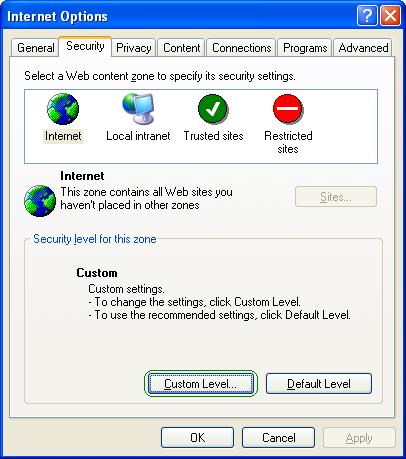
2. Select the security tab.
3. Click on the 'Custom Level' button.
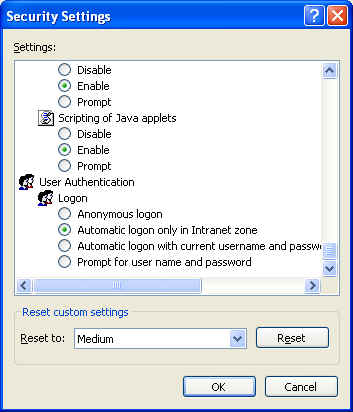
- Ensure that Logon is not set to 'Anonymous Logon'.
- If it is, change this to one of the other options; preferably to 'Prompt for username and Password'.
- Save and close the dialogs. Restart the Internet Explorer.
This should solve your problem.